LLM Gateway Beginner Guide: From First Request to Production
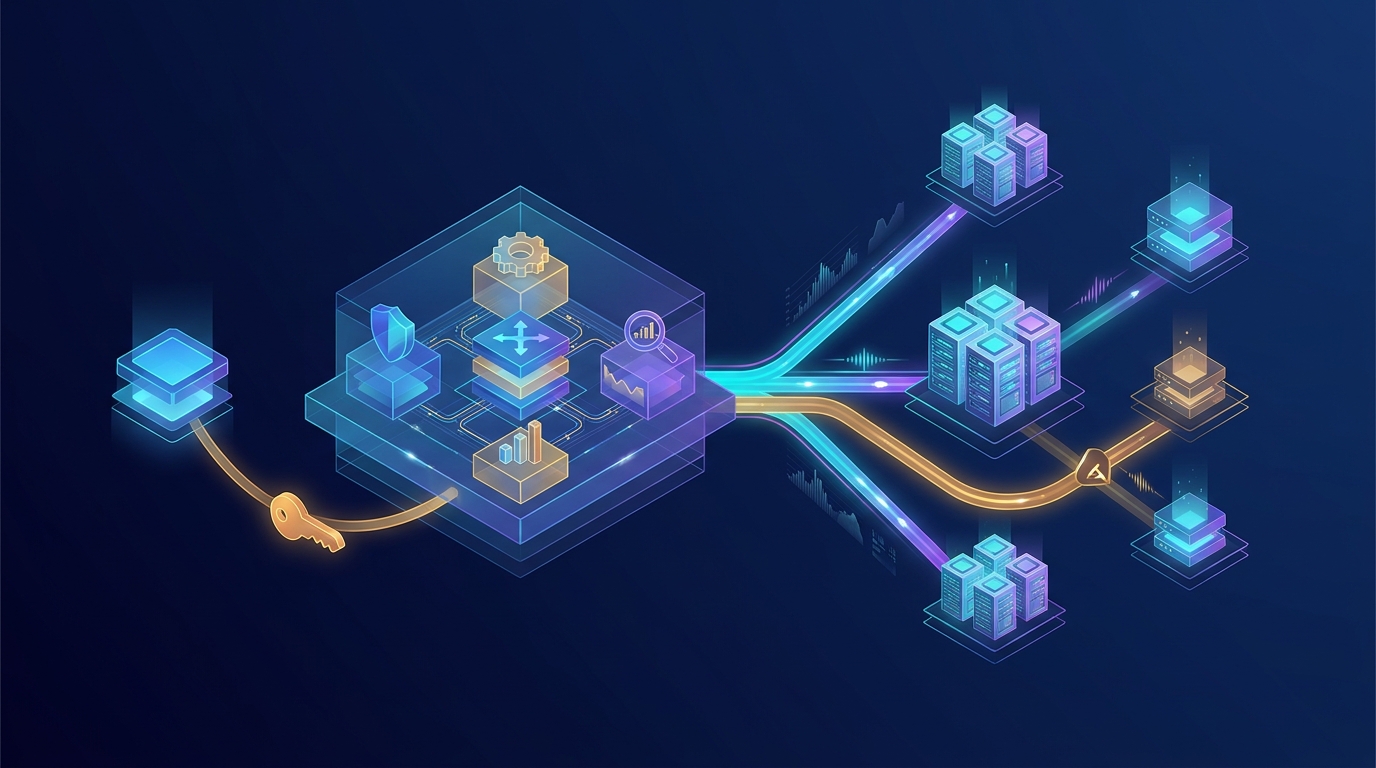
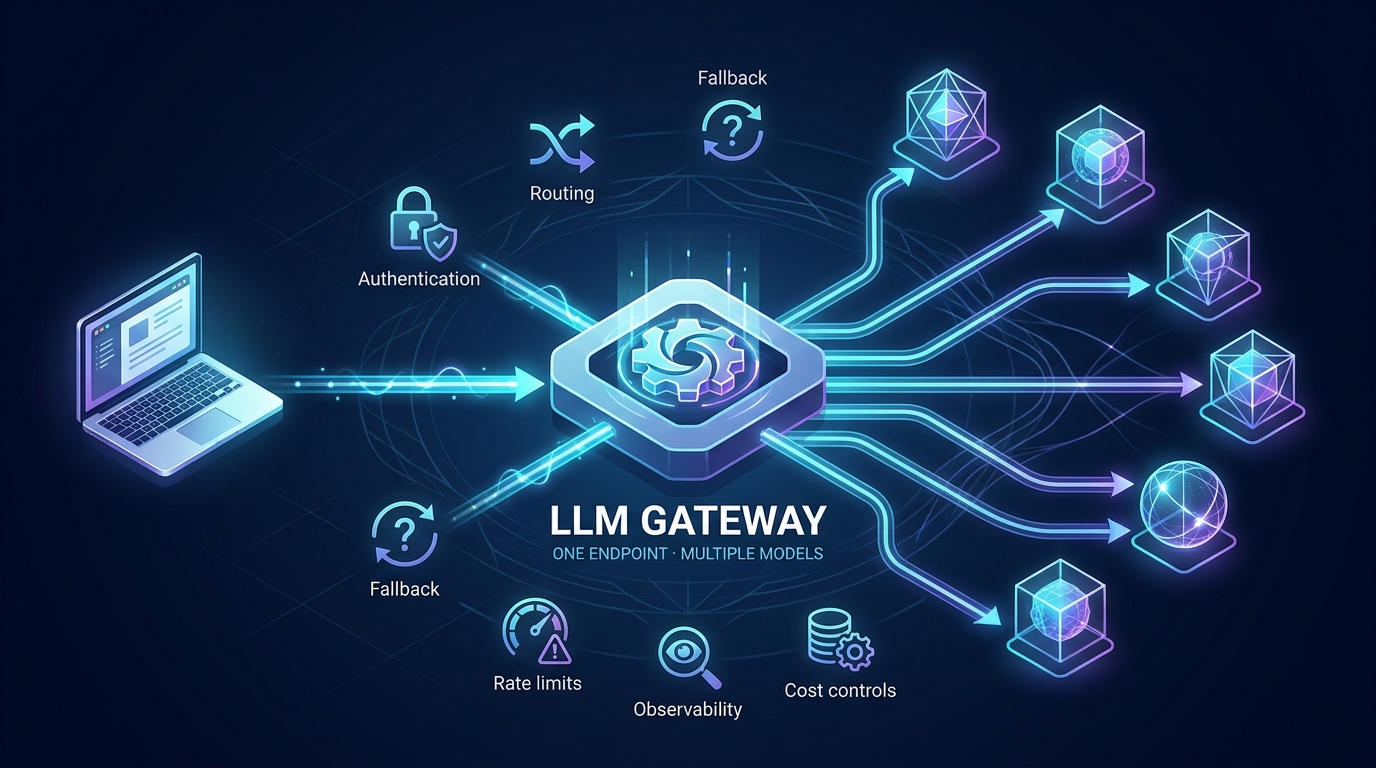
An LLM gateway is a control layer between your application and one or more AI model providers. Your app sends requests to the gateway instead of connecting separately to every provider. The gateway then authenticates the request, applies policy, chooses a model or upstream connection, forwards the call, and records the result.
That sounds like ordinary API plumbing, but it solves a problem that appears quickly in real AI products: the first model integration is simple; the fifth is not. Each provider can introduce another key, SDK, request format, rate-limit policy, error shape, usage page, and bill.
This LLM gateway beginner guide explains what the layer does, how a request moves through it, how it differs from adjacent tools, when you need one, and how to implement a first gateway integration without overengineering it. It also gives you a build-versus-buy scorecard, a staged rollout plan, and measurable acceptance criteria for deciding whether a gateway is creating real business value.
Updated August 4, 2026: This guide now includes a first-100-requests lab with a request envelope, three test batches, an acceptance ledger, and production exit criteria, alongside the 15-minute quickstart and rollout checklist.
The 60-Second Beginner Decision
You probably do not need an LLM gateway yet if one application calls one provider, the workload is still experimental, and a short outage or manual key rotation would not affect customers.
You should evaluate a gateway when two or more of these statements are true:
- your application uses, or expects to use, more than one model provider;
- multiple services need AI credentials and usage controls;
- rate limits or provider incidents can interrupt a customer workflow;
- finance cannot reconcile model spend to a team, product, or customer;
- changing models requires an application deployment;
- you need a shared allowlist, quota, audit trail, or fallback policy;
- developers are rebuilding the same provider adapters in several repositories.
The beginner mistake is adopting a gateway because the architecture diagram looks mature. Adopt it when it removes repeated operational work or creates a control you can measure.
What Is an LLM Gateway?
An LLM gateway, also called an LLM API gateway or AI gateway, gives applications a stable interface for accessing AI models. In its simplest form, it provides:
- one endpoint for model requests;
- one authentication boundary;
- a consistent request and response contract;
- centralized usage records;
- routing rules that decide where a request goes.
A more capable gateway can also enforce budgets, restrict allowed models, handle bounded retries, fail over between equivalent routes, attach request IDs, normalize errors, and emit latency, token, and cost telemetry.
The important idea in this LLM gateway beginner guide is separation of concerns. Your product code should describe the job it needs completed. The gateway should handle provider access, routing policy, and operational controls.
Application
    │
    │ one authenticated request
    ▼
LLM gateway
    ├── policy and quota check
    ├── model or route selection
    ├── provider request
    ├── retry or safe fallback
    └── usage and error record
             │
             ├── Provider A / Model 1
             ├── Provider B / Model 2
             └── Provider C / Model 3
Why Not Call Every Model Provider Directly?
Direct integration is often the right starting point. If a prototype uses one model, has low traffic, and does not need shared controls, adding a gateway may create more surface area than value.
The tradeoff changes when the application needs multiple providers or must operate reliably in production.
| Concern | Direct provider integrations | LLM gateway |
|---|---|---|
| Credentials | Separate keys in each environment | One application-facing key or identity |
| Client code | Provider-specific clients and adapters | Stable client contract where supported |
| Model switching | Application change or configuration per provider | Central route or model policy change |
| Rate limits | Handled separately for each provider | Coordinated limits, queues, and retry policy |
| Usage tracking | Split across provider dashboards | Central request, token, latency, and cost records |
| Failover | Custom logic in each application | Shared, contract-aware fallback policy |
| Governance | Repeated in every service | Central model allowlists, quotas, and audit fields |
The gateway does not make provider differences disappear. Models can still have different capabilities, context limits, tool schemas, streaming behavior, safety policies, and pricing. A good gateway makes those differences explicit and manageable instead of pretending every model is interchangeable.
How an LLM Gateway Works, Step by Step
1. The application sends one request
The application calls a stable base URL and supplies a gateway credential. With an OpenAI-compatible gateway, an existing OpenAI client may only need a different base_url, API key, and model identifier.
2. The gateway authenticates and authorizes it
The gateway verifies the calling project, environment, user, or workload. It can then check an allowlist, quota, budget, or maximum token policy before any upstream spend occurs.
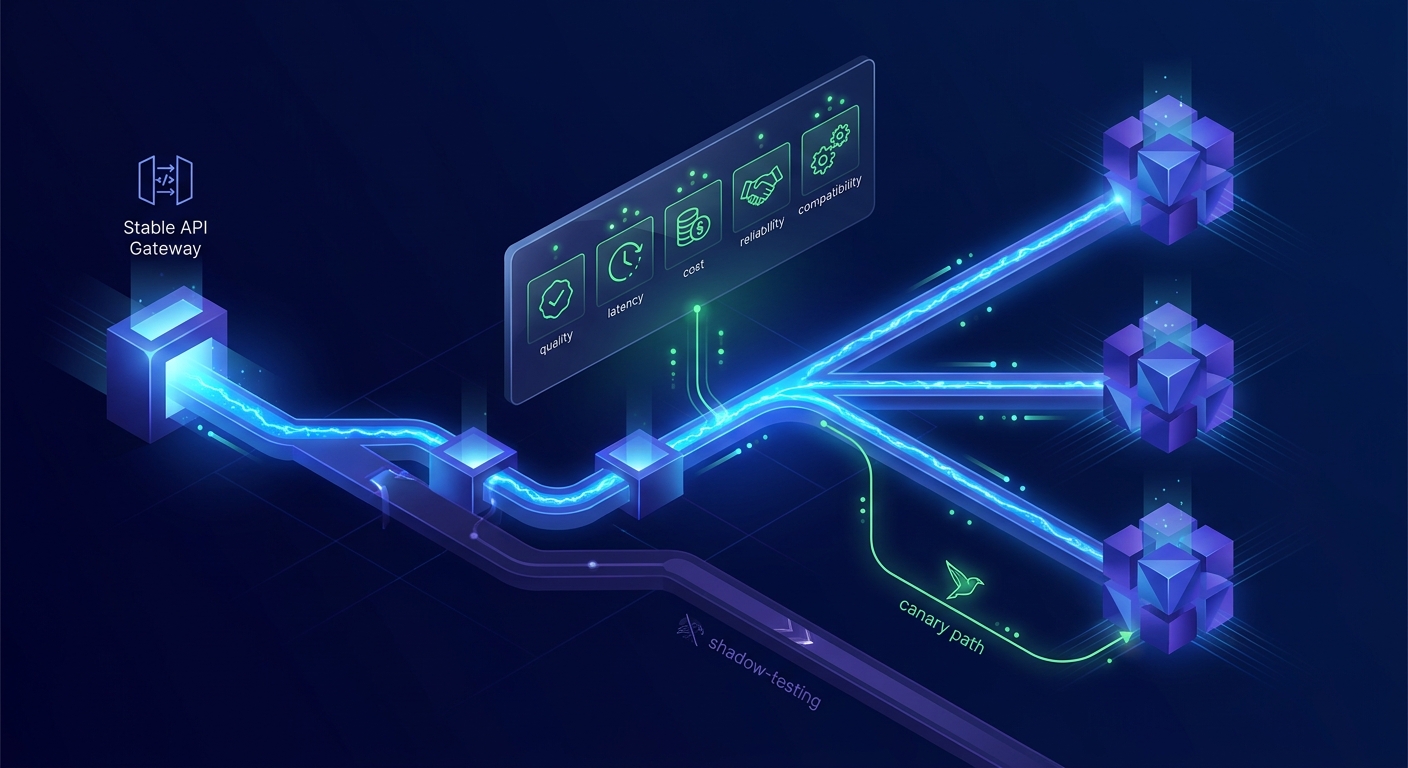
3. A routing rule chooses the destination
The request might name an exact model. It might use a team-controlled alias such as support-fast. Or it might enter a routing policy that considers capability, health, region, latency, or cost.
For a first implementation, prefer explicit model selection or a simple alias. Dynamic routing is useful, but it should come after you have evaluation data and observability.
4. The gateway translates only what it can preserve
Some gateways expose an OpenAI-compatible contract across multiple providers. The gateway maps fields into the selected provider's API and normalizes the response where possible.
Compatibility has limits. Before switching models, test structured output, tool calling, images, streaming, finish reasons, token accounting, and error behavior. “Compatible” should mean your required contract passed tests, not merely that the request returned HTTP 200.
5. The gateway handles operational policy
The gateway may apply a timeout, honor a retry budget, pause an unhealthy route, or choose a fallback. Retries must be bounded. Fallbacks must preserve the task contract. Requests with tool side effects or partially streamed output may require a stop-and-reconcile path instead of automatic replay.
For a deeper production design, use the model fallback strategy playbook and the LLM rate limits guide.
6. The gateway records what happened
Useful records include a request ID, application, environment, requested model, resolved provider and model, latency, status, retry count, input and output tokens, and estimated cost.
Do not log raw prompts and responses by default. Log metadata that supports operations, and treat content logging as a separate security and privacy decision.
A 15-Minute LLM Gateway Quickstart
The fastest way to understand a gateway is to route one non-critical request through it. Use a server-side test script, an explicit model, and a prompt with an obvious expected result. Do not begin with automatic routing or a production agent.
Step 1: Record the direct-provider baseline
Before changing anything, save five facts from the current direct call:
- whether the response satisfies the task;
- total latency and time to first token if streaming;
- input and output token counts;
- provider request ID and error shape;
- estimated cost for the accepted result.
This gives you something concrete to compare. A gateway migration is not successful merely because it returns HTTP 200.
Step 2: Change the connection, not the workload
For an OpenAI-compatible gateway, the application-facing change is usually a gateway API key, a gateway base URL, and a supported model identifier. The exact environment variable names depend on the client and gateway.
import os
from openai import OpenAI

client = OpenAI(
    api_key=os.environ["LLM_GATEWAY_API_KEY"],
    base_url=os.environ["LLM_GATEWAY_BASE_URL"],
)

response = client.chat.completions.create(
    model=os.environ["LLM_GATEWAY_MODEL"],
    messages=[
        {"role": "system", "content": "Return valid JSON only."},
        {"role": "user", "content": "Classify this ticket as billing, bug, or feature: I was charged twice."},
    ],
    temperature=0,
)

print(response.choices[0].message.content)
Keep credentials on the server. Never place a gateway master key in browser JavaScript, a mobile binary, a public repository, or a shared screenshot.
Step 3: Compare the response contract
Check more than text quality. Confirm the fields your application actually consumes:
- response ID and model name;
- finish reason;
- token usage;
- streaming event order;
- structured output behavior;
- tool-call identifiers and arguments;
- HTTP status and error body;
- cancellation and timeout behavior.
OpenAI compatibility reduces migration work, but it does not guarantee that every provider feature behaves identically. Test the contract your code relies on.
Step 4: Force one safe failure
Use a test environment to trigger one predictable failure, such as an invalid model name, an intentionally tiny timeout, or a development quota. Verify that the gateway returns a traceable request ID and an error your application can classify.
Do not test a provider outage by creating uncontrolled production load. The goal is to prove your application can distinguish authentication, rate-limit, timeout, upstream, and validation failures.
Step 5: Decide with an acceptance table
| Check | Beginner acceptance rule |
|---|---|
| Output | Passes the same task validation as the direct call |
| Latency | Within the workload's stated budget |
| Usage | Token fields are present or the absence is documented |
| Traceability | One request ID connects the app, gateway, and upstream record |
| Errors | The app can classify retryable and non-retryable failures |
| Cost | Measured per accepted result, not per raw request |
| Rollback | Switching back to the direct route is documented and tested |
If the gateway fails any required row, keep the test out of production until the gap is fixed or explicitly accepted.
Your First 100 Gateway Requests: A Beginner Lab
A successful first request proves connectivity. It does not prove that the gateway is safe for production. The next useful milestone is a small, controlled set of 100 representative requests that tests compatibility, traceability, failure handling, and operating discipline.
This lab is intentionally simple. It does not require dynamic routing, a complex evaluation platform, or a large production migration. It gives a beginner enough evidence to decide whether to proceed, fix a specific gap, or return to the direct provider route.
Start with a request envelope
Before sending traffic, define the metadata that travels with every request or appears in the corresponding gateway record. A minimal request envelope can look like this:
{
  "request_id": "gw_test_0001",
  "environment": "staging",
  "workload": "support_ticket_classification",
  "requested_route": "ticket-classifier-v1",
  "customer_tier": "internal-test",
  "contains_sensitive_data": false,
  "timeout_ms": 12000,
  "max_attempts": 2,
  "evaluation_case_id": "ticket_014"
}
Your gateway may use headers, tags, metadata fields, or server-side context instead of this exact JSON. The important part is that the application, gateway, and evaluation record share a stable request identity.
Do not place raw secrets, full prompts, personal data, or confidential customer text in routing tags. Keep operational metadata separate from content. If the workload contains sensitive data, record the classification and apply the appropriate logging policy rather than copying the content into observability fields.
Batch 1: 40 normal requests
Use 40 representative inputs that should succeed on the primary route. Include easy, typical, and boundary cases rather than repeating one demo prompt.
For every request, record:
- whether the output passed task-specific validation;
- gateway and upstream request IDs;
- requested alias and resolved provider/model;
- total latency and time to first token if applicable;
- input and output tokens when available;
- retry or fallback count;
- estimated cost;
- the final disposition: accepted, rejected, or manual review.
The goal is not a perfect score. The goal is to discover whether failures are visible and explainable. A rejected output with a complete trace is more useful than a plausible output with no route or usage record.
Batch 2: 30 contract-edge requests
Use the next 30 requests to exercise the exact features your application depends on. Choose from:
- long context near your approved input limit;
- strict JSON or schema-constrained output;
- streaming start, cancellation, and completion;
- tool calls with valid and invalid arguments;
- image, audio, or document inputs if the workload uses them;
- multilingual prompts;
- empty, malformed, or oversized requests;
- content that should be rejected by application policy.
Do not assume an OpenAI-compatible endpoint makes every edge behavior identical. The gateway only passes this batch when your application can consume the response correctly and classify unsupported behavior without silently corrupting the workflow.
Batch 3: 30 controlled failure requests
Use a non-production environment to test bounded failure behavior. Include safe cases such as:
- an invalid model or route name;
- a missing or revoked development credential;
- an intentionally small timeout;
- a development quota or rate-limit condition;
- one simulated retryable upstream error;
- one fallback candidate that is deliberately incompatible with the task contract.
That last case matters. A gateway should not reroute merely because another model is available. If the alternate route cannot preserve structured output, tool behavior, data policy, or quality requirements, the correct action is to stop and return a classified error.
For a deeper failure policy, use the model fallback strategy workflow playbook and the LLM rate limits guide.
Keep a one-row-per-request acceptance ledger
You can start with a spreadsheet or database table. Avoid a dashboard that hides the underlying cases before you understand them.
| Field | What it tells you |
|---|---|
| Request ID | Connects application, gateway, and upstream evidence |
| Evaluation case | Shows which input and expected behavior were tested |
| Requested route | Captures what the application asked for |
| Resolved route | Reveals the provider and model that actually served it |
| Validation result | Separates useful completions from HTTP-level success |
| Error class | Distinguishes stop, retry, reroute, and reconciliation cases |
| Attempts | Exposes hidden retry amplification |
| Latency | Confirms the workload stays inside its user-facing budget |
| Estimated cost | Supports comparison per accepted result |
| Rollback needed | Identifies cases that would block production expansion |
Calculate at least four summary metrics after the 100 requests:
accepted completion rate = accepted results / total requests

trace coverage = requests with complete route and request IDs / total requests

retry amplification = total upstream attempts / total gateway requests

cost per accepted result = total estimated cost / accepted results
Do not compare gateways on raw request price alone. A cheap request that fails validation, triggers repeated attempts, or requires manual repair can be more expensive than a higher-priced request that completes the task correctly.
Use explicit production exit criteria
Before the lab begins, mark each criterion as required, optional, or not applicable. Then decide with evidence rather than enthusiasm.
| Exit criterion | Example beginner rule |
|---|---|
| Contract compatibility | Every required response field and feature passes |
| Accepted completion | No material regression from the direct-provider baseline |
| Traceability | Every request has an application and gateway request ID |
| Route visibility | Resolved provider/model is available for every completed request |
| Failure classification | Expected failures map to stop, retry, reroute, or reconcile |
| Retry budget | No request exceeds the declared attempt or latency budget |
| Sensitive logging | Raw content is off unless separately approved and governed |
| Cost visibility | Cost per accepted result can be calculated |
| Rollback | The direct route can be restored without a code rewrite |
Use one of three outcomes:
- Go: all required criteria pass; move one low-risk workload to a small canary.
- Fix: the gateway is viable, but a named compatibility, telemetry, security, or failure-policy gap blocks production.
- Stop: the layer adds risk or operating work without solving a current, measurable problem.
The lab is complete only when someone owns the decision, the evidence is saved, and the rollback path remains available. That turns “we connected to an LLM gateway” into a repeatable engineering result.
The Seven Core Jobs of an LLM Gateway
1. Provider abstraction
The gateway creates a stable boundary between application code and provider APIs. This reduces repeated integrations and makes migrations easier to test.
2. Authentication and key management
Applications authenticate to the gateway, while provider credentials remain behind it. This can reduce the number of upstream secrets distributed across repositories and deployment environments. It does not remove the need for rotation, scoping, redaction, and incident response. Follow a dedicated secure API key management guide.
3. Model routing
Routing can be as simple as “send this alias to this model.” More advanced policies can use capability, health, latency, region, or cost. Keep the decision explainable: every request should record why a route was chosen.
4. Reliability controls
The gateway can centralize timeouts, retry budgets, circuit breakers, health checks, and safe fallbacks. Centralization prevents every application team from inventing a different failure policy.
5. Rate-limit coordination
Providers commonly constrain requests and tokens over time. A gateway can coordinate concurrency, queues, backoff, and route capacity instead of allowing multiple services to compete blindly for the same upstream quota.
6. Observability and cost allocation
The gateway sees every request, so it is a natural place to attach consistent telemetry. Measure more than raw token cost. Track accepted-task rate, latency, retries, and cost per accepted task so a cheap but unreliable route does not look efficient.
The AI API cost optimization guide explains how to compare routes using workload outcomes rather than list price alone.
7. Policy and governance
Teams can use a gateway to restrict models, set budgets, cap token usage, separate development and production keys, and create audit-ready usage records. These controls become increasingly useful as more applications and agents share the same model access layer.
LLM Gateway vs. Similar Tools
Beginners often use “gateway,” “router,” “orchestration framework,” and “reverse proxy” interchangeably. They overlap, but they are not the same.
| Tool | Primary job | What it usually does not own |
|---|---|---|
| LLM gateway | Access, policy, routing, reliability, and telemetry across model calls | The entire application workflow |
| Model router | Select a model or upstream route | Authentication, billing, governance, or full observability unless bundled |
| Orchestration framework | Coordinate prompts, tools, memory, agents, and multi-step workflows | Central provider account and billing control by default |
| Reverse proxy | Forward network traffic, terminate TLS, and apply generic HTTP controls | Model-aware token limits, fallback contracts, or AI usage accounting by default |
| Provider SDK | Call one provider's API with provider-native features | Cross-provider routing and unified controls |
You can combine these layers. An agent framework may call an LLM gateway. The gateway may use a router internally. A reverse proxy may sit in front of the gateway for network controls.
When Do You Need an LLM Gateway?
Use this LLM gateway beginner guide as a decision test. A gateway is worth evaluating when two or more of these statements are true:
- You support more than one model provider.
- Multiple services or agents need model access.
- Provider keys are duplicated across environments.
- Teams cannot answer which application generated a charge.
- Rate-limit handling differs between codebases.
- A provider outage or degraded route interrupts a critical workflow.
- You need model allowlists, quotas, or environment-level budgets.
- Switching models requires repeated SDK or deployment changes.
- Operations needs one request ID across application and provider layers.
You may not need a gateway yet when you have one low-risk prototype, one provider, one owner, and no production reliability or governance requirement. Start with direct access, but keep provider calls behind a small application adapter so a future migration is controlled.
Build vs. Buy an LLM Gateway: A Practical Scorecard
The most important business-evaluation question is not whether a gateway is useful. It is which parts your team should own. You can build a gateway, adopt a hosted service, run an open-source proxy, or combine them.
Use a weighted scorecard rather than choosing from a feature checklist. Score each option from 1 to 5, multiply it by the weight, and compare the totals. The weights below are starting points, not universal rules.
| Criterion | Suggested weight | Questions to ask |
|---|---|---|
| Workload compatibility | 25% | Does it preserve streaming, structured output, tools, images, error details, and token accounting? |
| Reliability | 20% | Are timeouts, retries, health checks, fallback rules, and incident visibility explicit? |
| Security and governance | 15% | Can you isolate tenants, restrict models, rotate credentials, redact content, and audit access? |
| Observability | 15% | Can you trace the requested route, resolved route, attempts, latency, usage, validation, and cost? |
| Operational burden | 10% | Who handles upgrades, provider changes, scaling, on-call response, and data retention? |
| Commercial fit | 10% | Is billing understandable, exportable, attributable, and compatible with your expected usage pattern? |
| Exit path | 5% | Can you export configuration and telemetry, preserve application contracts, and switch without a rewrite? |
Build when control is the product
Building can be rational when routing behavior is a core competitive advantage, regulations require a deployment model that available services cannot meet, or your traffic scale justifies a dedicated platform team. But “build” includes more than forwarding HTTP requests. It means owning authentication, provider adapters, schema differences, streaming, error normalization, quotas, observability, release management, security reviews, and incident response.
Buy when access and operations are undifferentiated
A hosted gateway is usually a better fit when the goal is to reach multiple providers faster, consolidate billing and credentials, or give several applications a shared control plane. The evaluation should still include an exit path. Keep the gateway behind an application adapter, preserve model capability tests, and avoid embedding provider-specific assumptions throughout product code.
Use open source when you can operate it
An open-source gateway or proxy can provide flexibility and code visibility, but self-hosting transfers availability, scaling, upgrades, telemetry storage, and security patching to your team. Compare the total operating obligation, not only the software license.
The Four-Stage LLM Gateway Rollout
A safe rollout proves one layer at a time. Do not begin with dynamic cost routing across every workload.
Stage 1: Compatibility shadow test
Send a representative evaluation set through the candidate gateway without changing production behavior. Verify request fields, responses, streaming, tool calls, structured outputs, usage fields, and errors. Record every mismatch. A successful HTTP response is not enough if the application contract changes.
Exit condition: the gateway passes the workload's required features and quality checks with no unexplained contract loss.
Stage 2: One low-risk workload
Move a reversible, non-critical workload to one explicit model route. Keep the previous direct-provider path available as a rollback. Add request IDs and resolved-route telemetry before adding retries or fallback.
Exit condition: the team can explain every failed request, reconcile usage, and roll back without a code release.
Stage 3: Reliability policy
Add a bounded timeout, retry classification, and one tested fallback for a failure mode you have actually observed. Do not fallback between models merely because both accept similar JSON. The alternate route must satisfy the same workload contract.
For deeper recovery design, use the model fallback strategy playbook and the LLM rate limits guide.
Exit condition: failure drills show that retries and fallback improve accepted completion without causing duplicate side effects, runaway latency, or uncontrolled spend.
Stage 4: Shared production control plane
Expand only after the first workload has stable measurements. Add tenant quotas, model allowlists, environment separation, budget alerts, and a documented process for changing routes. Review who can modify policy and how changes are audited.
Exit condition: multiple applications can use the gateway without losing cost attribution, incident traceability, security boundaries, or rollback control.
Beginner Error Map: Retry, Reroute, or Stop?
Gateway reliability depends less on the number of fallback models than on making the correct decision for each failure. Use this simplified map as a starting point.
| Failure | Typical meaning | Beginner action |
|---|---|---|
| 400 or validation error | The request contract is invalid or unsupported | Stop, fix the request, and do not retry unchanged |
| 401 or 403 | Credential, permission, model allowlist, or account problem | Stop and alert; never rotate through random keys |
| 404 model or route | The configured identifier is unavailable or wrong | Stop or use an explicitly approved equivalent route |
| 408 or client timeout | The caller's latency budget expired | Cancel if possible; retry only when the task is idempotent |
| 429 rate limit | Capacity or quota was exceeded | Honor retry guidance, queue, or use a tested equivalent route |
| 5xx before output | Gateway or upstream failed before a usable response | Use bounded retry or tested failover |
| Stream breaks mid-output | Partial content may already exist | Stop and reconcile; do not blindly replay side effects |
| Tool call may have executed | External state could have changed | Check idempotency key or tool state before retrying |
The word bounded matters. Every workflow needs a maximum retry count, a total time budget, and a terminal state. Otherwise a gateway can turn one provider incident into duplicate tool actions, runaway cost, and a larger outage.
For a deeper implementation, use the model fallback strategy playbook.
How to Measure Whether the Gateway Is Working
Gateway success is not the number of providers connected. It is the improvement in accepted outcomes and operational control.
| Metric | What it reveals | Beginner-friendly calculation |
|---|---|---|
| Accepted completion rate | Whether users receive usable results | accepted results ÷ workflow starts |
| Gateway-attributable failure rate | Whether the new layer creates failures | gateway failures ÷ gateway requests |
| p95 end-to-end latency | Whether policy and failover harm user experience | 95th percentile from application start to accepted result |
| Fallback recovery rate | Whether fallback solves real failures | accepted fallback results ÷ fallback attempts |
| Cost per accepted result | Whether cheaper calls produce cheaper outcomes | total model and retry cost ÷ accepted results |
| Route explainability | Whether incidents and bills can be traced | requests with requested and resolved route fields ÷ total requests |
| Policy rejection accuracy | Whether governance blocks the intended traffic | correctly rejected requests ÷ reviewed rejections |
Set a baseline before migration. Then compare the same workload, evaluation set, traffic segment, and time window. If quality falls, latency expands, or costs become harder to reconcile, a lower headline token price is not a successful gateway outcome.
For cost analysis, continue with the AI API cost optimization guide. For a more complete telemetry plan, use the AI observability implementation checklist.
A Beginner Implementation: Five Practical Steps
Step 1: Write the task contract
Choose one real workload, such as summarizing support tickets or extracting fields from invoices. Define:
- required inputs and outputs;
- acceptable latency;
- validation rules;
- whether streaming is required;
- whether tools can create side effects;
- what counts as an accepted result.
This contract determines whether a fallback is safe and whether another model is actually equivalent.
Step 2: Pick a stable client interface
If your application already uses an OpenAI-compatible SDK, a compatible gateway can reduce migration work. Flatkey, for example, documents an OpenAI-compatible base URL at https://router.flatkey.ai/v1.
curl -X POST "https://router.flatkey.ai/v1/chat/completions" \
  -H "Authorization: Bearer $FLATKEY_API_KEY" \
  -H "Content-Type: application/json" \
  -d '{
    "model": "your-model",
    "messages": [
      {"role": "user", "content": "Explain this error in plain English."}
    ]
  }'
Use a secret manager or server-side environment variable for the key. Never ship it in browser or mobile client code.
Step 3: Start with explicit routing
Route the workload to one tested model. If you want application independence, map an internal alias to that model in configuration. Avoid an opaque “cheapest model” or “best model” router until you have a repeatable evaluation set.
Step 4: Add minimum viable telemetry
Record:
- gateway request ID;
- workload and environment;
- requested alias;
- resolved provider and model;
- status and latency;
- retry and fallback count;
- input and output tokens;
- estimated cost;
- validation result.
This is enough to debug the first production issues and compare alternatives later.
Step 5: Add one bounded failure policy
Start with a timeout and a small retry budget for transient failures. Add fallback only after verifying that the alternate route passes the same task contract. For streaming or side-effecting tool calls, define how the application detects partial completion and reconciles state.
Your First Week With an LLM Gateway
Use a seven-day adoption plan instead of moving every application at once.
Day 1: Inventory one workload
Write down the current provider, model, SDK, credentials, required features, traffic, latency budget, data sensitivity, and rollback owner.
Day 2: Run the compatibility test
Send representative prompts through the direct route and gateway route. Include long inputs, structured output, streaming, tools, and expected error cases if the workload uses them.
Day 3: Add request identity and usage records
Confirm that the application stores a gateway request ID and can connect it to model, provider route, latency, tokens, retry count, and validation result without logging sensitive content by default.
Day 4: Define failure policy
Classify errors into stop, retry, equivalent failover, cross-model fallback, and manual reconciliation. Set a total retry and latency budget.
Day 5: Send a small production canary
Use one low-risk workload and a deliberately small traffic share. Keep the direct route available. Compare accepted completion rate, p95 latency, and cost per accepted result.
Day 6: Review security and spend controls
Separate development and production credentials, restrict allowed models, set quotas, and verify who can view or change routing policy. Use the secure API key management guide for a fuller control checklist.
Day 7: Make a go, fix, or stop decision
- Go: required contract checks pass and the canary meets its acceptance thresholds.
- Fix: the architecture is sound, but one measurable gap blocks expansion.
- Stop: the gateway adds operational risk or cost without a current control benefit.
Document the decision and the next review date. A controlled stop is better than an unmeasured migration.
Common Beginner Mistakes
Treating every model as interchangeable
Even when request syntax is normalized, capabilities and output behavior differ. Test the exact features your workload uses.
Routing before measuring
Dynamic routing without evaluation data moves decision logic into a black box. Establish a baseline first, then introduce a measurable policy.
Retrying every error
Authentication errors, invalid requests, exhausted budgets, and unsupported features are not transient. Retry only errors that may succeed later, and use exponential backoff with jitter where appropriate.
Logging sensitive content by default
Prompts can contain customer, source-code, or business data. Keep metadata observability separate from content retention.
Hiding the resolved route
If the application requests an alias, record the actual provider and model used. Otherwise incidents, quality regressions, and cost changes become difficult to explain.
Measuring price instead of outcomes
Lower token prices do not guarantee lower workload cost. Include validation failures and retries in your cost calculation.
How Flatkey Fits the Gateway Pattern
Flatkey provides a unified model and tool access layer with one key, shared usage records, and an OpenAI-compatible model endpoint. For an existing compatible client, the migration path is to change the base URL, use a Flatkey key, choose a supported model, and test the workload contract.
That makes Flatkey relevant when you want to reduce provider account sprawl without building and operating the aggregation layer yourself. If you are evaluating the design rather than looking for a beginner overview, read the detailed AI API gateway architecture guide. If you are ready to migrate a client, use the OpenAI-compatible API gateway checklist.
Explore Flatkey models, review the documentation, or create an API key when you are ready to test a real workload.
LLM Gateway Beginner Guide Checklist
Before sending production traffic through an LLM gateway, confirm:
- [ ] One workload contract has defined success criteria.
- [ ] The application uses a server-side gateway credential.
- [ ] The selected model passed representative tests.
- [ ] Structured output, tools, and streaming were tested if used.
- [ ] Timeouts and retryable errors are explicitly defined.
- [ ] Fallback preserves the workload contract.
- [ ] Every request receives a traceable request ID.
- [ ] Resolved provider and model are recorded.
- [ ] Tokens, latency, retries, validation, and cost are measured.
- [ ] Development and production quotas are separated.
- [ ] Raw content logging is disabled or deliberately governed.
- [ ] A direct rollback path is documented.
- [ ] A baseline exists for accepted completion, latency, and cost per accepted result.
- [ ] Build, hosted, and self-hosted options were compared on operational burden and exit path.
- [ ] The first rollout uses one explicit route before dynamic routing is introduced.
Frequently Asked Questions
Is an LLM gateway the same as an API gateway?
It is a specialized API gateway for AI model traffic. It can provide standard API gateway functions such as authentication and rate limiting, plus model-aware routing, token usage, AI-specific error normalization, and contract-aware fallback.
Does an LLM gateway host the models?
Not necessarily. Some gateways route to external providers, some are integrated with inference infrastructure, and some support both. Ask where inference occurs, which provider actually serves each model, and how that route appears in usage records.
Does an LLM gateway reduce costs?
It can help by centralizing usage data, applying quotas, reducing duplicate integrations, and enabling measured route changes. Savings are not automatic. Compare cost per accepted task, including retries and quality failures.
Can I use an LLM gateway with the OpenAI SDK?
Yes, if the gateway exposes an OpenAI-compatible endpoint and supports the features your application uses. Change the base URL and credential, then test the complete workload contract rather than assuming perfect compatibility.
Is a gateway a single point of failure?
It can be. Evaluate its deployment architecture, health checks, upstream failover, timeout behavior, observability, service commitments, and rollback path. Centralizing control increases operational leverage, so the gateway itself must be treated as production infrastructure.
Should a startup build or buy an LLM gateway?
Build when gateway behavior is a core differentiator, you need unusual deployment constraints, or you have the team to operate it. Buy when the main goal is faster access, fewer provider integrations, unified usage, and shared controls. A small team can also start direct and migrate later if provider calls are already isolated behind an adapter.
What should I test before moving production traffic?
Test the exact workload contract: streaming, structured output, tools, media inputs, context limits, error behavior, timeout handling, usage fields, and output quality. Then run a low-risk canary with a direct rollback path and compare accepted completion, p95 latency, and cost per accepted result against the pre-gateway baseline.
The Simple Mental Model
The shortest version of this LLM gateway beginner guide is:
Your application asks for AI work. The gateway decides whether the request is allowed, where it should go, how failure should be handled, and what should be recorded.
Start with one workload, one stable interface, explicit routing, minimum viable telemetry, and one bounded failure policy. Add sophisticated routing only after you can measure quality, latency, reliability, and cost.